Click. Execute. Watch It Run.
hundreds of built-in endpoint actions across Windows, macOS, and Linux — dispatched over a persistent encrypted channel, with progress and results streaming back while the work is happening. Across Intune, ConfigMgr, Azure Update Manager, and standalone devices. No inbound firewall rules. No hidden queue. No wondering whether it actually ran.
Always-On, Always Reachable
The Patchblox agent maintains a persistent SignalR connection to your gateway — whether that gateway is on your network or in the Patchblox cloud. No inbound ports on the endpoint. No WMI. No SMB. No Remote Registry. For SaaS customers, the outbound-only connection traverses NAT, firewalls, and proxies — remote devices are just as reachable as the ones down the hall. For self-hosted customers, communications stay entirely on your network.
View device data from the latest inventory — or trigger a quick inventory on any single device and have fresh data in under a minute . Then act on what you see. hundreds of built-in actions available out of the box, plus a full script repository when you need something custom. Role-based access control determines who can run what. Every action can be run immediately or scheduled.
Every action reports back as it executes — queued, running, completed, failed, with the actual output. You watch the fleet work in real time , see which devices finished and which didn't, and read the error while there is still time to do something about it. Not a status column that populates sometime tomorrow.
Your fleet runs on dedicated per-tenant infrastructure — your own database, your own gateway, your own capacity. You are not sharing a scheduling queue with other customers, and there is no undocumented throttle between the operator and the endpoint. When you send it, it goes.
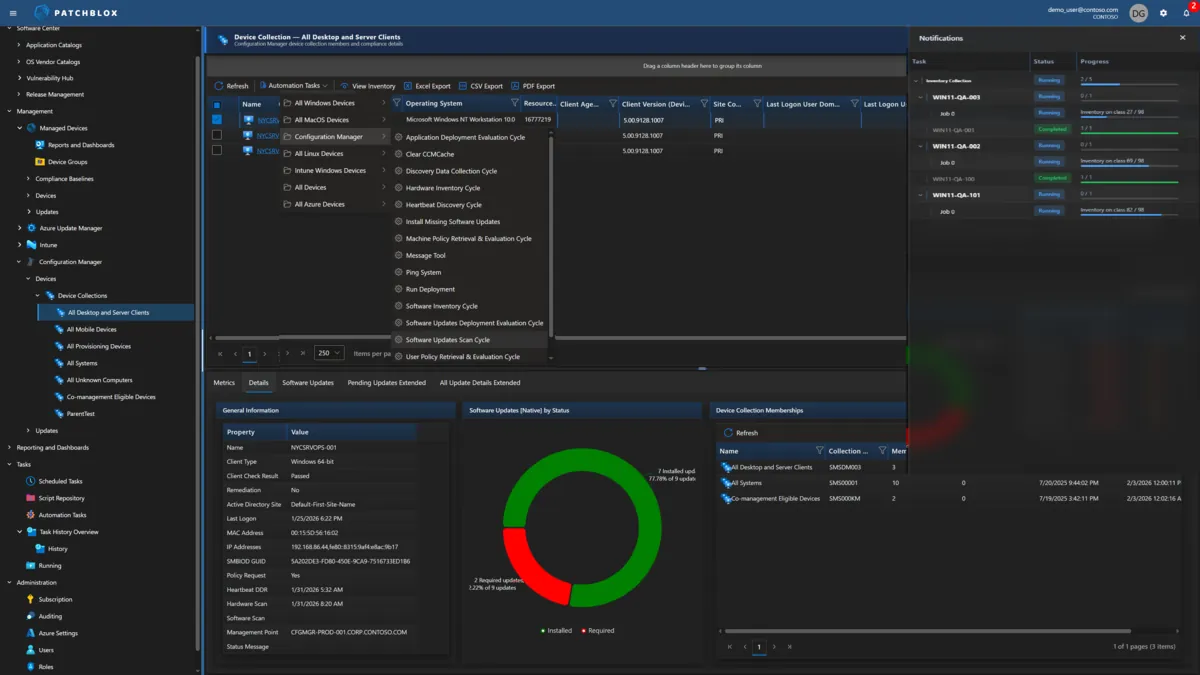
What You Can Do Right Now
Purpose-built, structured actions with typed inputs, validation, and formatted results — ready to use out of the box. Every action can be run immediately or scheduled for later.
Security & Encryption
Harden endpoints, verify encryption, manage certificates, and enforce security policies across all three platforms.
- Enable BitLocker / FileVault / LUKS encryption
- Configure Windows Firewall, macOS Firewall, UFW, firewalld, iptables
- Install and manage certificates (Windows, macOS Keychain, Linux SSL/TLS)
- Configure SELinux, AppArmor, Gatekeeper, XProtect
- Configure LAPS, reset LAPS passwords
- Audit system security (Lynis, OpenSCAP)
- Configure Fail2Ban, SSH hardening, sudo access
- Manage password policies across all platforms
User & Access Management
Create, modify, delete user accounts. Manage group memberships and admin privileges. Reset passwords. Lock accounts.
- Create, rename, delete local users (Windows, macOS, Linux)
- Reset user passwords across all platforms
- Add/remove users from admin groups
- Manage local group memberships
- Lock/unlock user accounts
- Configure PAM modules and sudo access
- Manage macOS Secure Tokens
- Bind/unbind Active Directory on macOS and Linux
Software & Updates
Install, update, and remove software. Manage Windows Update, macOS updates, and Linux packages across APT, YUM, DNF, and Zypper.
- Software update management via Windows Update and Patchblox Package Manager
- Install packages via APT, YUM/DNF, Zypper
- Deploy macOS software via PKG and DMG
- Uninstall macOS applications with cleanup
- Repair Windows Update agent
- Install macOS system and security updates
- Update all Linux packages to latest versions
- Manage package repositories and clean caches
Network & Connectivity
Configure interfaces, DNS, VPN, proxies, Wi-Fi, and static routes. Flush DNS caches. Test connectivity.
- Configure network interfaces (Windows, macOS, Linux/Netplan/NetworkManager)
- Set DNS servers and search domains
- Flush DNS cache across all platforms
- Configure VPN clients (IKEv2, L2TP, WireGuard, OpenVPN)
- Configure Wi-Fi profiles including WPA2/WPA3 Enterprise
- Manage proxy settings, static routes, network bonding
- Configure SMB/CIFS and NFS mounts
- Manage AirDrop, Bluetooth, and Screen Sharing on macOS
Storage & Disk Operations
Disk cleanup, health checks, partition management, backups, and volume operations across all platforms.
- Perform disk cleanup (Windows, macOS, Linux)
- Check disk health via SMART diagnostics
- Verify and repair macOS disks (First Aid)
- Mount/unmount/eject volumes
- Manage LVM volumes, RAID arrays, swap space
- Resize partitions and filesystems
- Configure Time Machine backups
- Configure fstab and persistent mounts
System & Device Control
Reboot, shutdown, terminate processes, manage services, configure power settings, and control hardware devices.
- Reboot and shutdown (Windows, macOS, Linux — immediate or scheduled)
- Terminate processes by name or PID
- Stop, start, restart services (Windows services, systemd, LaunchDaemons)
- Enable or disable hardware devices
- Wake-on-LAN
- Configure energy and sleep settings on macOS
- Set hostname and computer name
- Configure GRUB bootloader, kernel parameters, kernel modules
Intune & ConfigMgr Operations
Management-plane-specific actions that go beyond what the native consoles offer — repair agents, force syncs, trigger cycles.
- Force Intune IME re-sync, restart IME agent, reinstall IME
- Verify Intune agent health and collect Intune logs
- Trigger Intune remediation scripts on demand
- Enroll/re-enroll devices in Intune, Autopilot reset
- ConfigMgr policy retrieval and evaluation cycles
- Hardware/software inventory cycles on demand
- Software update scan and deployment evaluation
- Clear ConfigMgr client cache, run deployments
Scripting & Automation
Run custom scripts or schedule tasks — with signature enforcement and configurable execution context.
- Run PowerShell scripts on Windows (Authenticode signed)
- Run Bash scripts on Linux (signed)
- Run Shell scripts on macOS (signed)
- Run Python scripts on Linux
- Schedule cron jobs and systemd timers on Linux
- Manage macOS Login Items and Launch Agents/Daemons
- Monaco editor with IntelliSense in the Script Repository
- Use scripts standalone or as pre/post actions in automation tasks
macOS Device Management
macOS-specific actions covering FileVault, Gatekeeper, printers, screen sharing, device lock, remote wipe, and more.
- Configure Gatekeeper, XProtect, SIP verification
- Manage Keychain, Secure Tokens, Recovery Lock
- Configure screen saver, lock screen, login window
- Manage printers, Spotlight indexing, Content Caching
- Configure TCC/PPPC permissions (Full Disk Access, Camera, Mic)
- Lock device, erase device, send messages
- Check battery health, reset NVRAM/PRAM
- Upgrade macOS version
For Intune Admins: Offered Is Not Done
Microsoft has made Intune meaningfully faster. A sync now wakes both the MDM client and the Intune Management Extension in one pass, and a new real-time notification channel is rolling out on Windows. The request reaches the device quickly. Credit where it's due.
Then read the words in Intune's own sync status pane. Policies report succeeded. Applications and scripts report offered. Offered means the work was handed to the workload handler — not that the script ran, not what it returned, not whether the install succeeded. Those results arrive later, through a separate reporting pipeline, on a different screen. Close the pane and the progress view is gone. There is no fleet-wide view of what is executing right now, because nothing is recorded.
Intune also offers Device Query — KQL-based read-only queries against ~20 property categories on Windows devices, requiring the Advanced Analytics add-on license. The key word is read-only. Device Query tells you a service is stopped. It cannot restart it. It shows you a runaway process. It cannot kill it. You can look, but you cannot act.
Patchblox runs a session instead of a notification: command out, telemetry back while the work is still happening . 500+ data views across 18 categories on Windows, macOS, and Linux — with the ability to act on everything you see, and watch the result land. See a failed service? Restart it and confirm it started. Find an unauthorized scheduled task? Remove it. All from one portal, across Intune, ConfigMgr, AUM, and standalone devices. No add-on license required.
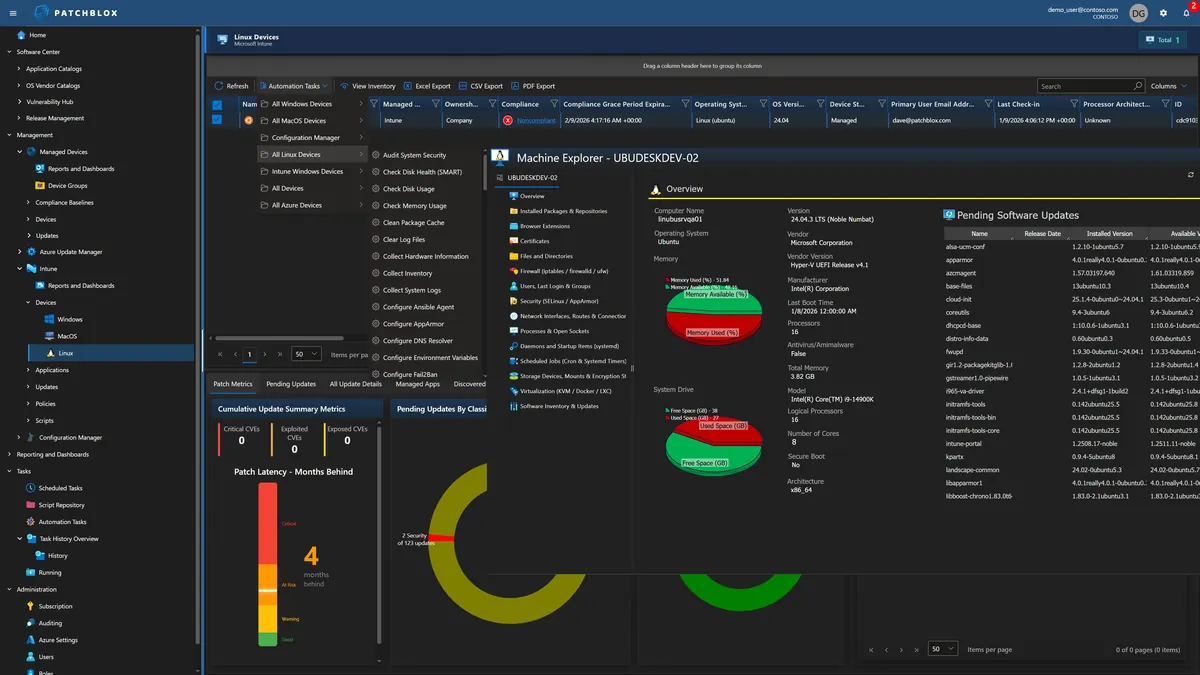
For ConfigMgr Admins: Beyond Right-Click
The real-time tools you depend on use WMI, SMB, and Remote Registry to reach devices. That works inside your network perimeter, but breaks for remote workers, VPN users, untrusted domains, and cloud-managed devices. They require open firewall ports, local admin rights on the target, and separate proxy infrastructure for every network boundary. If you've ever had to ask a remote user to open a command prompt and read you an IP address, you know the problem.
Patchblox delivers the same operational capability over a persistent encrypted channel that works everywhere. Home office, coffee shop, hotel WiFi — if the device has an outbound HTTPS connection, you can reach it. No firewall rules to manage. No proxy infrastructure per domain. No local admin rights required on the target.
And unlike console extensions that only work inside ConfigMgr, Patchblox works across all three management planes simultaneously. Your Intune devices, your AUM VMs, and your ConfigMgr clients — all from one portal with the same actions.
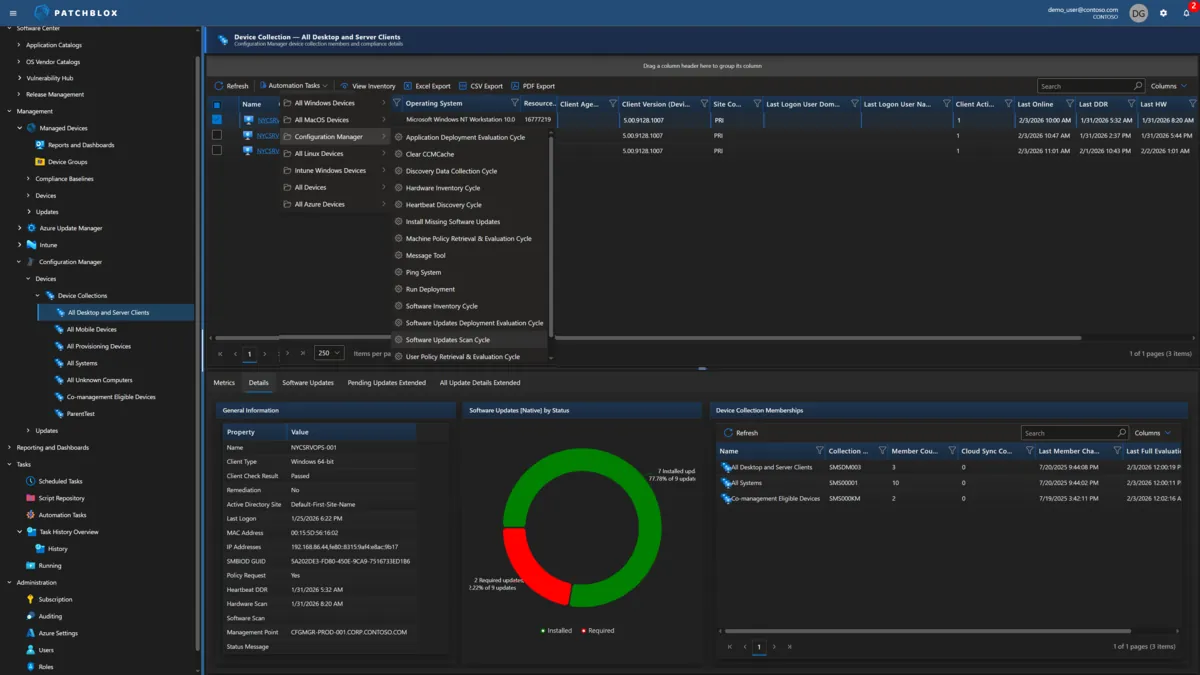
How Real-Time Approaches Compare
Delivering a request quickly is not the same as showing you the work
The Actions That Change Everything
The real-time operations that Intune and ConfigMgr admins reach for most
Instant Troubleshooting
User reports an issue. Trigger a quick inventory — under a minute you have fresh process data, service status, disk space, software inventory, and network configuration. Then act on what you find — restart services, kill processes, run remediation scripts — and watch each one report back as it completes, while you still have the user on the phone.
Compliance Verification
Intune reports a device is compliant based on last check-in. Is BitLocker actually on? Is Defender running? Is the firewall enabled? Refresh the inventory and verify actual endpoint state in under a minute, not the cached state from hours ago.
Windows Update Recovery
WU is stuck. Clear the SoftwareDistribution folder, restart the Windows Update and BITS services, force a detection scan — all remotely, all immediately, with the output of each step in front of you. The alternative is authoring a remediation script, deploying it, and reading a status report later.
Software Audit on Demand
License audit in 48 hours. Trigger a quick inventory sweep and pull the actual installed software list from every endpoint — not inventory data from last week's cycle. Include browser extensions, user-installed apps, and sideloaded software.
Security Incident Response
Suspicious activity on an endpoint. Refresh its inventory immediately and inspect running processes with network connections, check certificates, review scheduled tasks, examine firewall rules — then take action before the attacker moves laterally.
Bulk Remediation at Scale
A misconfiguration affects 500 devices. Execute a targeted remediation across all of them with live per-device status — see the 488 that succeeded and the 12 that failed, with the error, while the run is still going. Run immediately or schedule for the next maintenance window. Not "deploy a script and check back tomorrow."
View All Actions
Click to expand the full action reference
Windows
Intune
Configuration Manager
macOS
Linux
Azure
See Real-Time in Action
Schedule a live demo and watch us interact with an endpoint — no scripts, no delays, no waiting