Test Before You Deploy. Every Time.
Update approval workflows with ring-based deployment, automated VM testing, validation gates, and controlled promotion to production. The update deployment pipeline that prevents the next outage — for Microsoft updates, third-party apps, Linux, macOS, and CrowdStrike Falcon.
Supported Update Types
Update Approval Workflows
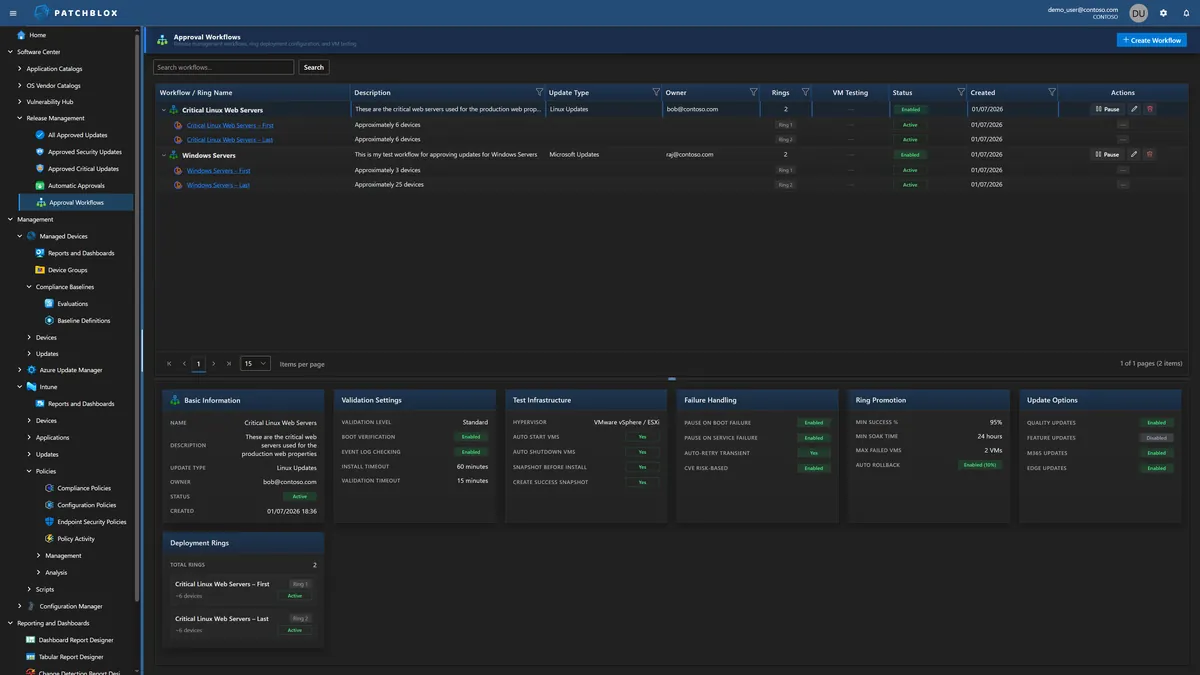
Create workflows that define how updates move through your environment. Each workflow specifies the update type, deployment rings, validation settings, test infrastructure, failure handling, ring promotion rules, and update scope.
The detail panels show everything at a glance: Basic Information, Validation Settings (boot verification, event log checking, install and validation timeouts), Test Infrastructure (VMware vSphere/ESXi, auto start/shutdown VMs, snapshot before install), Failure Handling (pause on boot failure, auto-retry, CVE risk-based decisions), Ring Promotion (95% success threshold, 24-hour soak time, auto rollback), and Update Options (Quality, Feature, M365, Edge — individually toggleable).
Ring-Based Deployment
Updates flow through deployment rings sequentially. Each ring has an assigned device group, optional test VMs, and configurable dynamic distribution. Test VMs validate BEFORE the assigned group — if VMs fail, deployment is blocked.
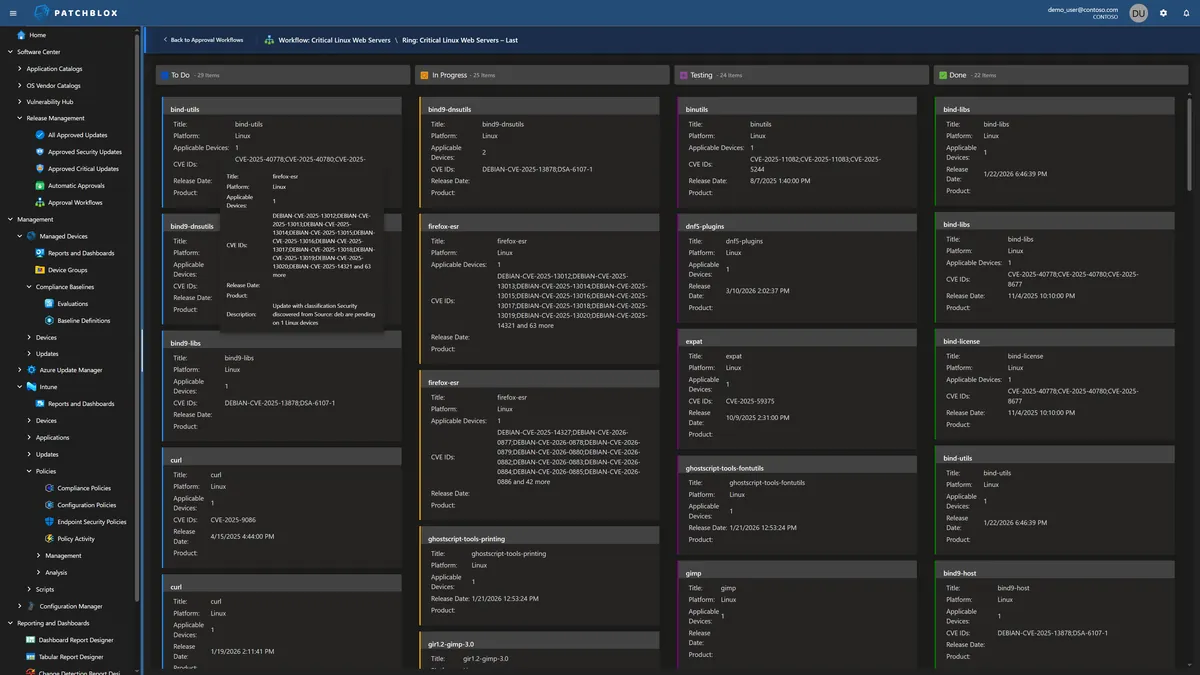
Track updates through the Kanban board as they move from To Do → In Progress → Testing → Done. Each card shows the KB number, CVE IDs, platform, applicable device count, and release date.
You Decide When Updates Deploy
Windows Autopatch decides when Windows updates roll out on Microsoft's schedule. Azure Update Manager gives you maintenance windows but no validation gates. Neither gives you per-ring release scheduling with deferral/deadline timing tied to automated validation.
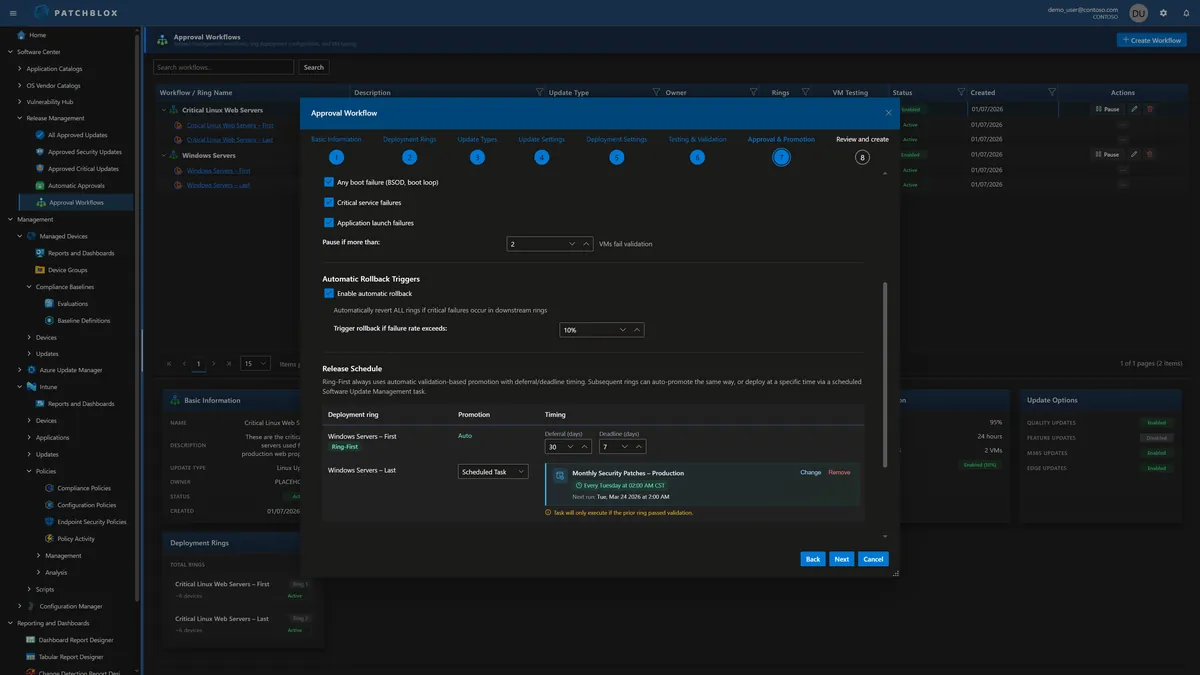
Patchblox lets you define exactly when each ring deploys. The first ring uses automatic validation-based promotion — it deploys, runs health checks, and only promotes to the next ring if validation passes. Subsequent rings can auto-promote the same way or deploy on a scheduled task (e.g., "Monthly Security Patches — Production, every Tuesday at 02:00 AM CST"). Each ring has its own deferral and deadline timing in days.
Automatic pause conditions halt deployment if boot failures (BSOD/boot loop), critical service failures, or application launch failures are detected. Automatic rollback triggers revert ALL rings if critical failures occur — configurable at a threshold you set (e.g., 10% failure rate). Notifications fire on auto-promotion and when deployments are paused.
Safety at Every Stage
Multiple layers of validation ensure updates are safe before reaching production
VM Test Automation
Spin up test VMs on VMware vSphere/ESXi, create pre-install snapshots, deploy the update, run health checks, and verify boot success — all automated.
Boot Verification
After update installation, verify the device boots successfully. If boot fails, the update is flagged and ring promotion is paused automatically.
Event Log Analysis
Scan Windows event logs post-installation for error patterns, service failures, or application crashes that indicate the update caused issues.
Custom Health Signals
Define your own health checks — service status, registry values, process availability, network connectivity — evaluated after each ring deployment.
Planning Mode
See what WOULD happen without actually executing. Identify which devices would receive the update, whether reboots are required, and potential conflicts — before committing.
Auto Rollback
If the success threshold isn't met (configurable per ring), automatically roll back the deployment. Default: 95% success required, 10% failure triggers rollback.
Pre & Post Installation Scripts
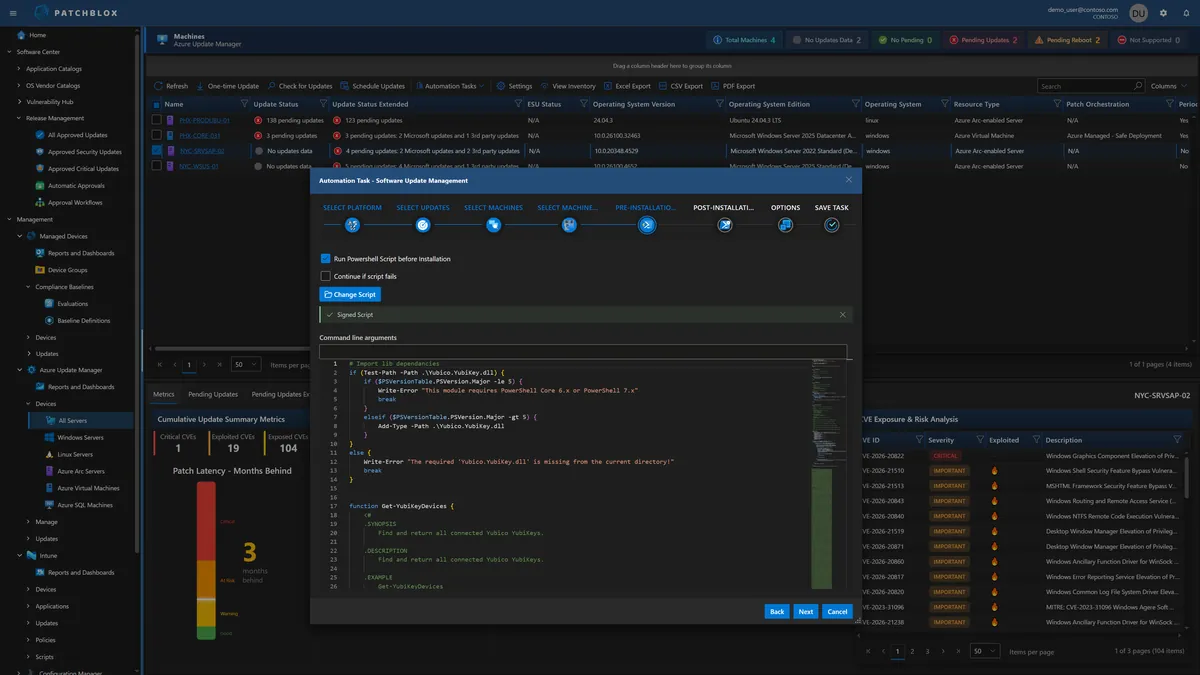
Attach PowerShell or shell scripts to run before and after update installation. Scripts are managed in the Script Repository with Monaco editor and signature enforcement. "Continue if script fails" option for non-critical pre-checks.
Use pre-installation scripts to prepare the environment (stop services, backup configs, check prerequisites). Use post-installation scripts to validate success, restart services, or trigger custom health checks.
125+ Automation Tasks & Calendar Scheduler
Beyond update approval workflows, Patchblox includes 125+ automation tasks across Windows, macOS, and Linux: Add/Remove Features, Configure LAPS, Configure Firewall, Install Certificates, Manage Local Users, Collect Inventory, and dozens more.
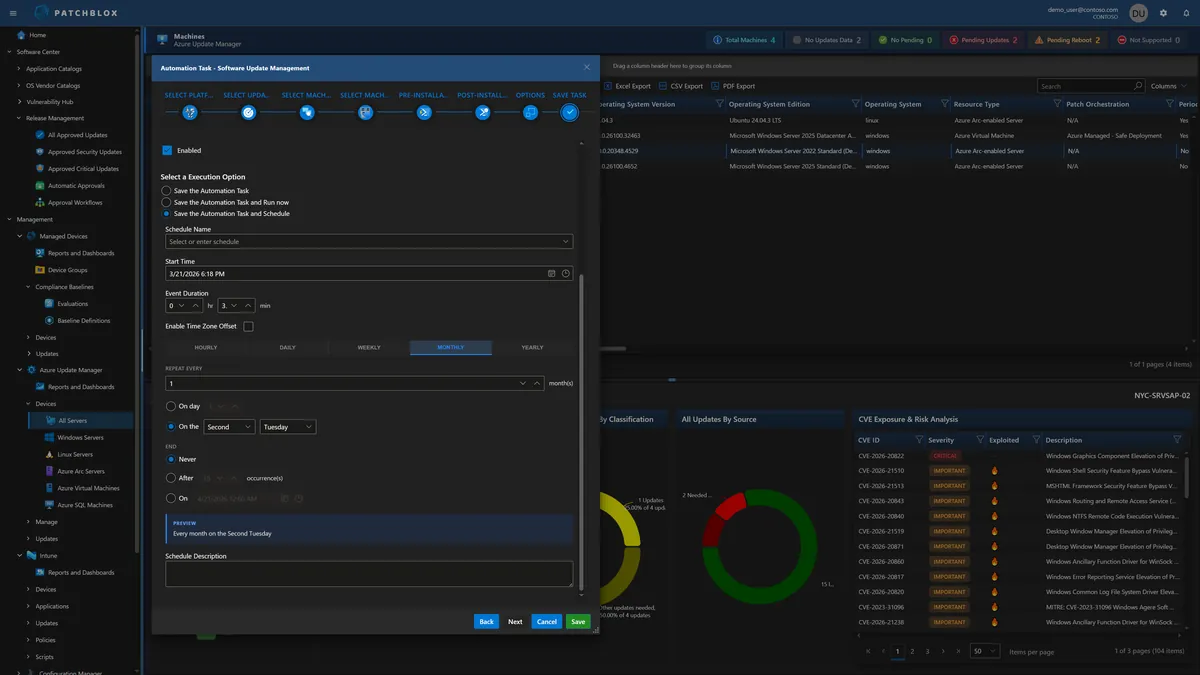
Schedule tasks on a full calendar (Hourly, Daily, Weekly, Monthly, Yearly) with day-of-week selection, multiple run times per day, and end conditions. The Task History Overview shows execution results across your fleet.
Deploy with Confidence. Every Time.
See how approval workflows and automated testing prevent the next update-related outage